

Welcome to Fundament, a weekly product design newsletter where we share actionable tips and insightful stories with the worldwide design community. Join 2,600+ readers and grow as a UX and product designer with us!
TL;DR:
Recraft helps creators and teams maintain strong visual consistency across all design assets, from social graphics to ebooks, mockups, and illustrations.
It offers high-quality image generation (raster + vector), built on its proprietary model Recraft V3, plus support for external models.
Key features include photorealistic image generation, precise color control, true vector creation & vectorization, post-generation editing, and style-based generation.
You can create custom styles using up to five reference images to ensure brand-consistent outputs across all new visuals.
Recraft lets you generate, edit, recolor, upscale, and standardize assets without switching tools, making it ideal for cohesive branding and multi-platform content production.
Overall, Recraft supports creators in producing professional, consistent, and scalable visual materials quickly, while maintaining full creative control.
Maintaining visual consistency has never been easier
Being a creator today often means wearing multiple hats at the same time. Whether you are shaping your personal brand as a freelancer, building your own product, or sharing your knowledge with a wider audience, you probably face a familiar challenge. How do you turn strong ideas into visuals that look clean and professional? The need for consistent social media graphics, a polished ebook cover, or a clear infographic usually comes up against the same limits that everyone struggles with: not enough time, a tight budget, or limited design experience.
Imagine a tool that supports you and your creativity while helping you produce visual materials that perfectly match a predefined style. This is exactly what Recraft offers.
What is Recraft
It is a tool powered by one of the best image-generation models, allowing you to easily create high-quality visual assets such as icons, illustrations, and logos. These assets not only look great but are also fully editable and scalable thanks to the built-in design features.
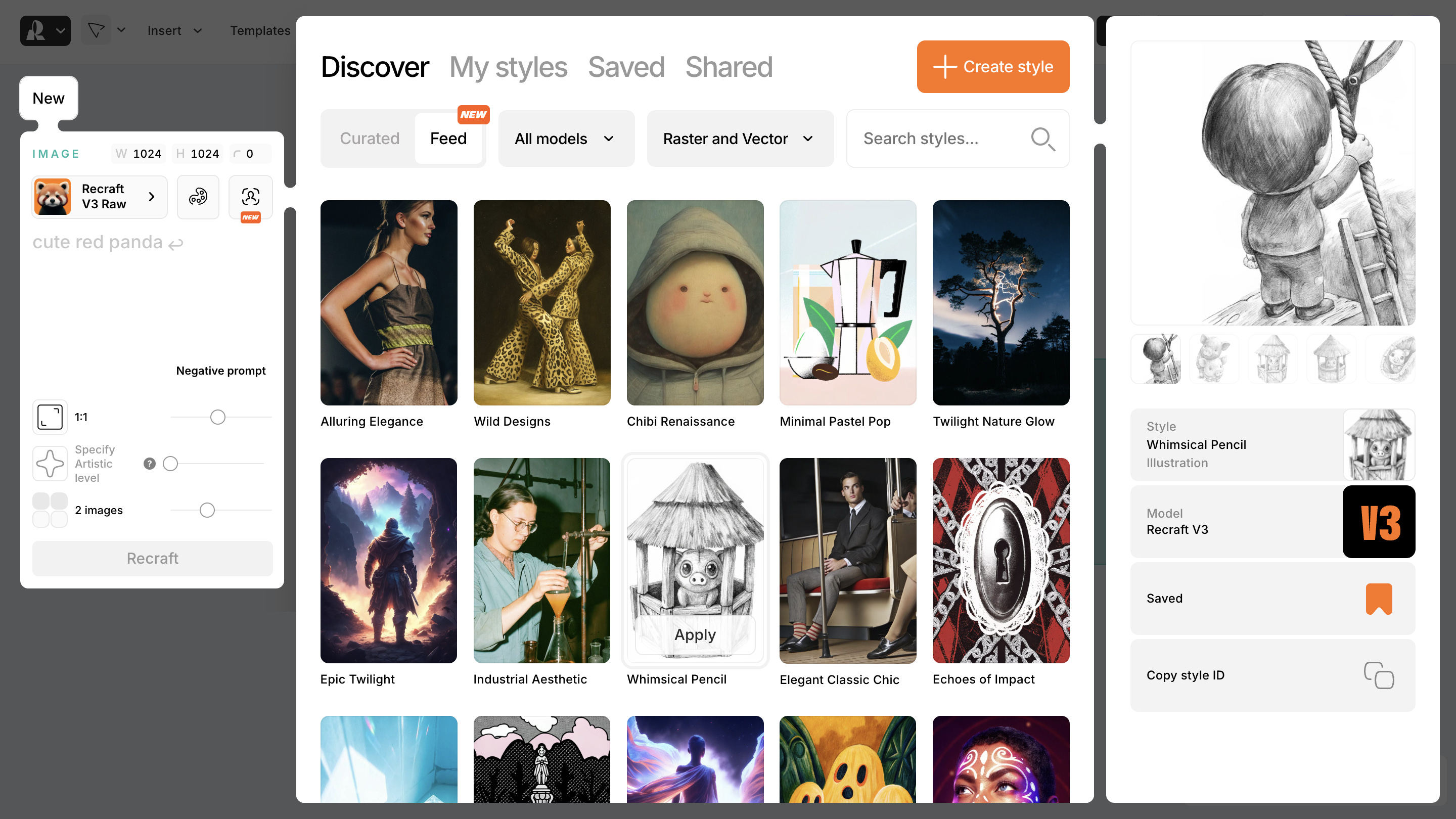
Recraft AI models
Recraft offers two proprietary models called Recraft V2 and Recraft V3. Recraft V3 is the newest model. It is used by default and recommended for most use cases. It performs very well in prompt adherence, layout control, and the generation of images with readable text.
You can also use external models such as Nano Banana, Flux 1 Kontext Max, Ideogram V3 Turbo, and GPT 4o High.
Key features
Recraft offers a wide range of useful features that support our daily work with visual materials. It allows us to generate images in any style we choose in both raster and vector formats. We can also edit generated or uploaded images with tools like the image vectorizer, image upscaler, AI image editor, background remover, and recoloring tool, which are only a few of the options available. It also makes it possible to create consistent visuals based on a selected style, and my personal favorite is to create a custom style using reference images.
To keep things simple and avoid overwhelming you with every possible feature, let us focus on the key functionalities that I find the most interesting.
Natural photorealism
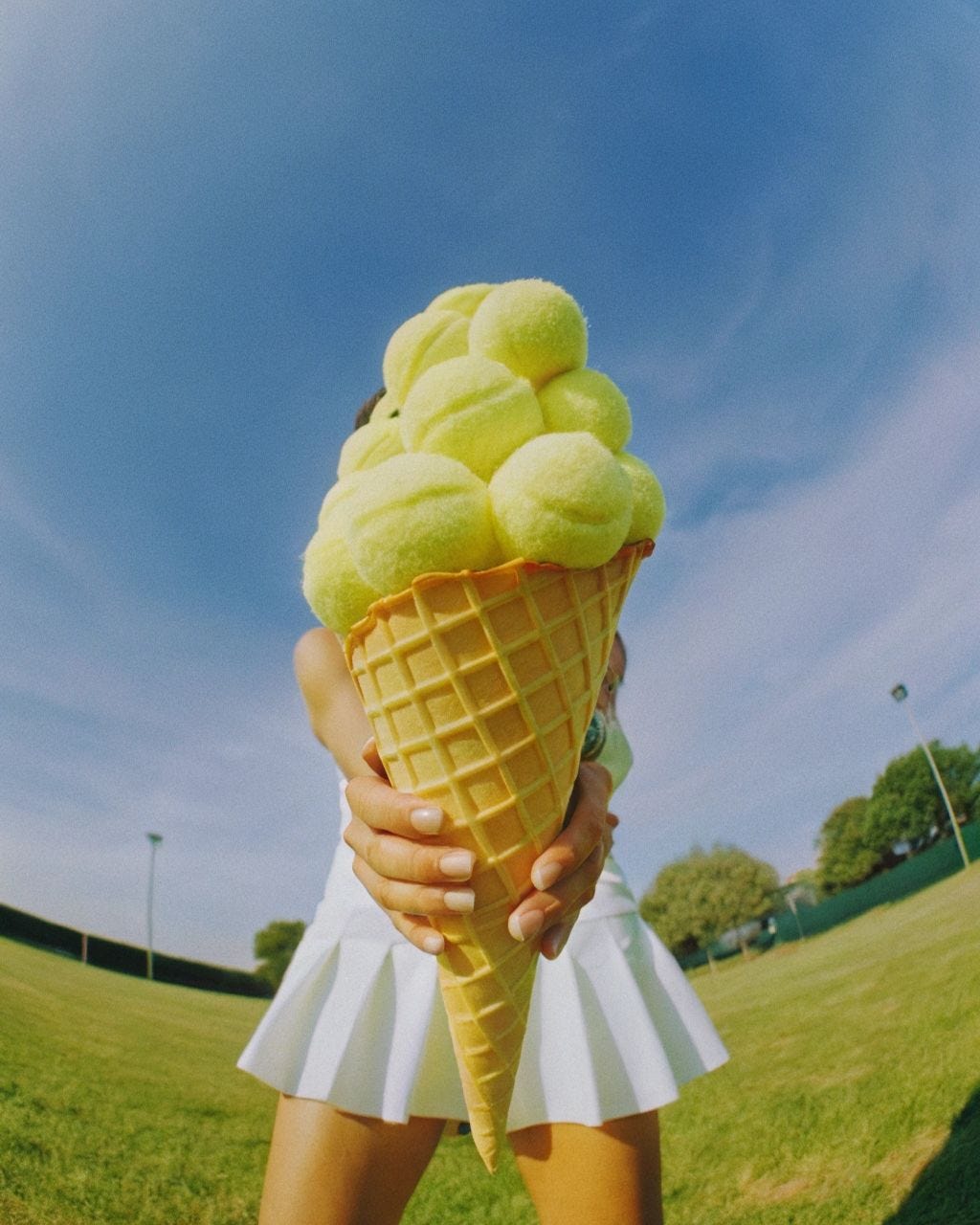
What really stands out is the ability to create photorealistic images that, according to Recraft, avoid the typical artificial intelligence look. I think this is clearly visible in the example below:

When creating photorealistic visuals, we can also adjust the composition, which lets us generate both simple stock-style images and more complex editorial scenes:
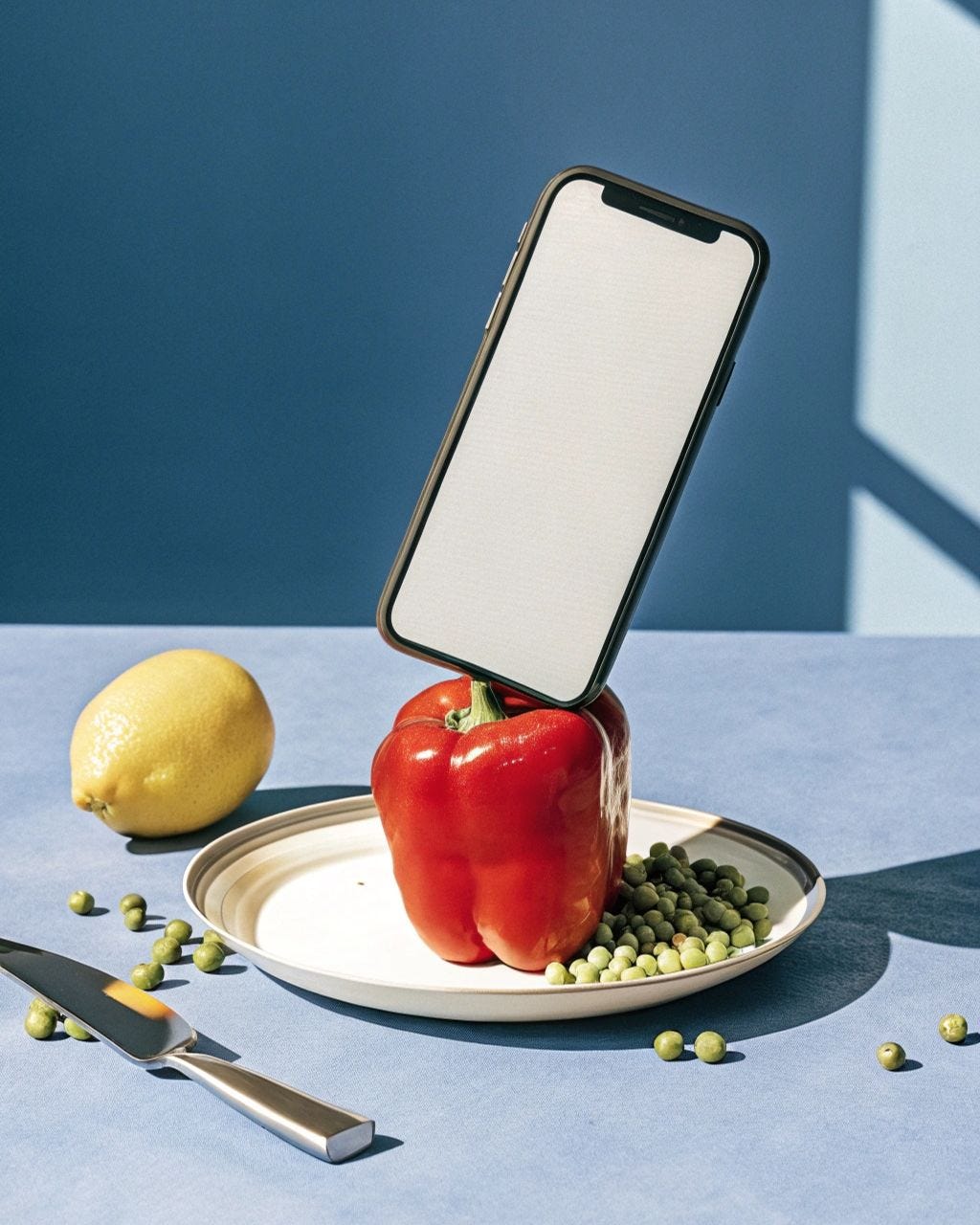
The tool also allows us to create realistic visuals for product mockups, either by placing the product directly in the composition or by using composition elements to embed our materials.
Precise color control
Another feature worth highlighting is precise color control. This feature gives us complete control over colors when generating and editing images. We can use predefined color palettes or create our own based on hex codes, an eyedropper, or colors extracted from an image. For vectors, we can adjust colors using swatches or spectrum editing.
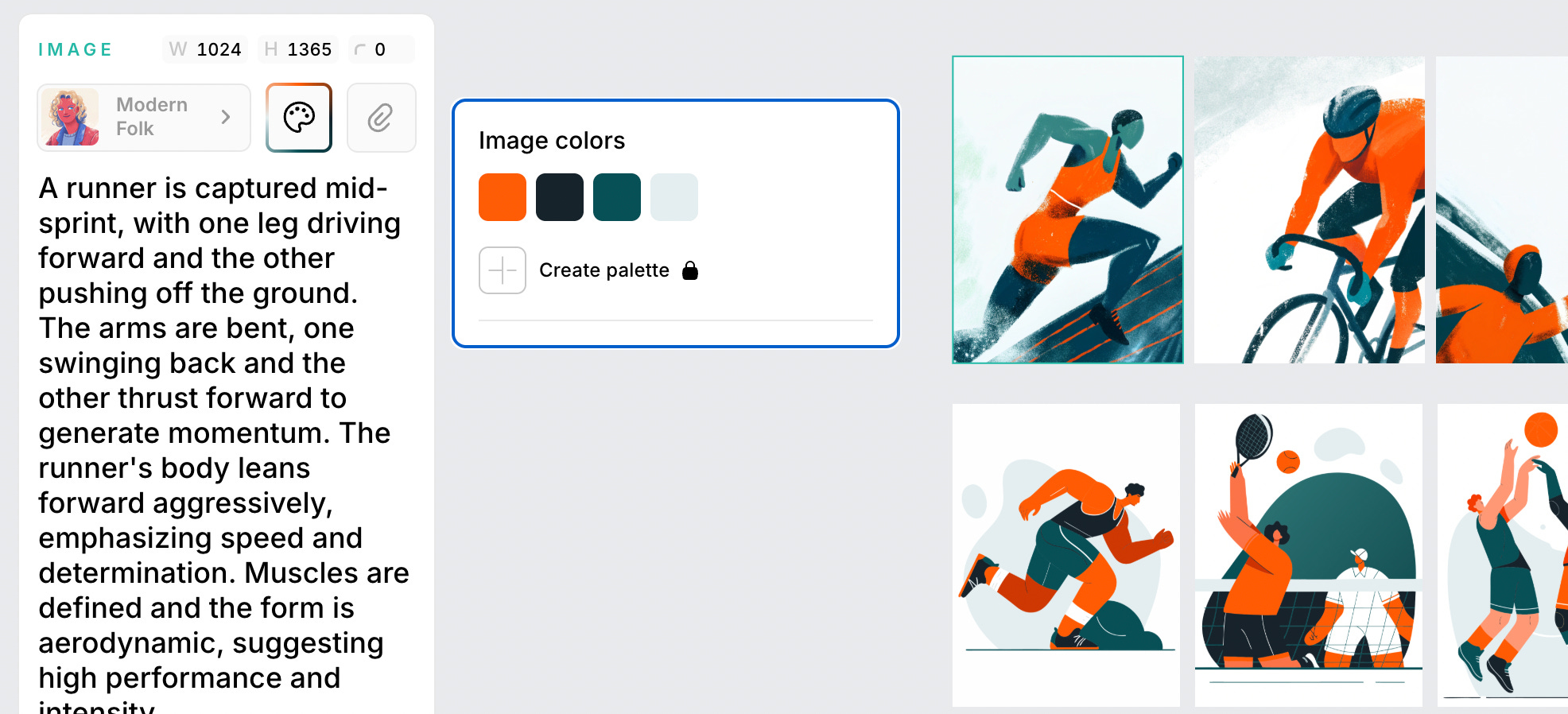
This feature makes it easy to match the colors of generated assets to a brand palette, edit colors in vector illustrations, or reuse colors from other graphics to align our generated materials with the company’s visual style and keep everything consistent.
Vector art & vectorization (market-unique)
Recraft also lets us convert raster graphics into fully scalable and editable vector graphics in SVG format. Once the image is vectorized, we can adjust individual colors or entire color groups and even simplify color palettes. This gives us visuals that can be used at any size and applied in print without any loss of quality. I would even say that the Recraft model is the best for SVG generation of all the ones I have had the opportunity to work with.
Post-generation editing
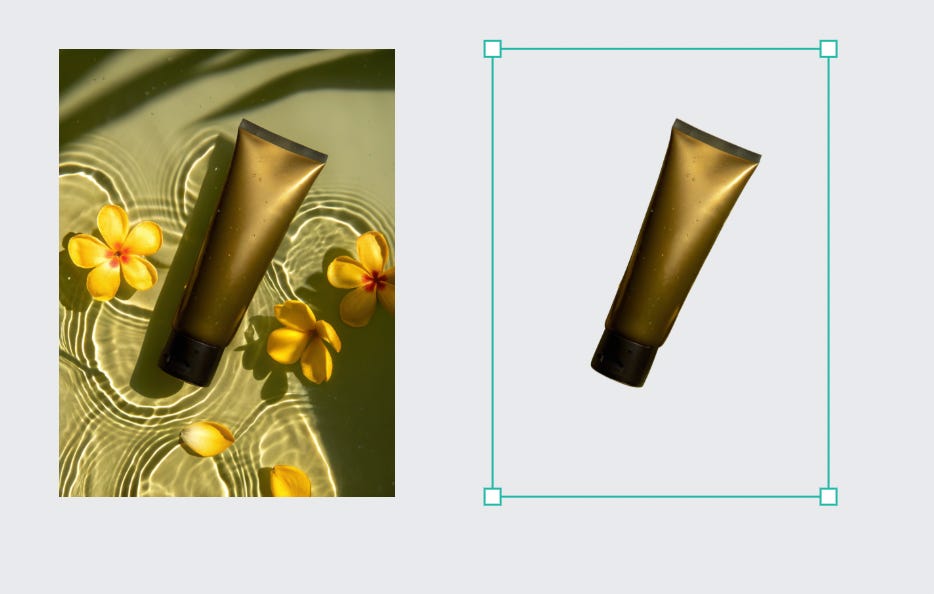
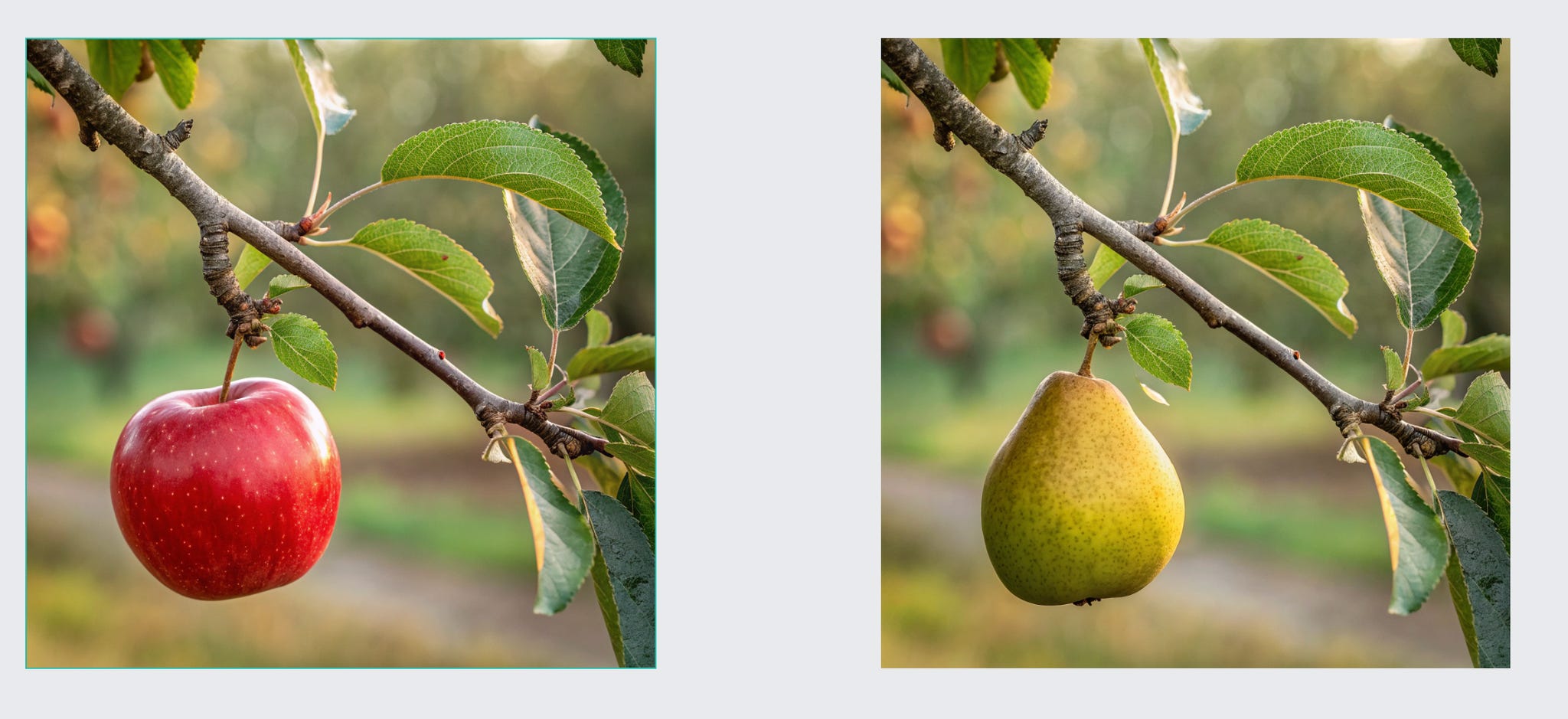
The tool also lets you refine the images you generated without having to start the entire process from scratch. The options available include fine-tune, edit area with lasso, brush, and wand selections, as well as inpainting, outpainting, and background tools. This allows you to remove or replace backgrounds, for example, with studio backdrops, adjust image formats for social media, or change a character’s facial expression.
Style consistency
Now, for one of the two most interesting features, in my opinion. Consistent styles let you generate multiple images based on a selected style. You can choose from many predefined styles or create your own, which I will describe in detail later. With style consistency, you can produce cohesive visuals and other assets, such as icons, for your projects or for promoting your brand on social media without losing consistency. The effect of style consistency is clearly visible in the example below, where the brand’s products are presented in a visually coherent way.

Custom style creation
Finally, here is my favorite feature, the one I explore the most. I mentioned earlier that you can create consistent graphics based on your own style. Recraft gives us exactly that. If you already have an established style for your company or personal brand, you can use previously created materials as references to build your own style that you can then reuse for new marketing assets that stay visually consistent with what you have created so far.
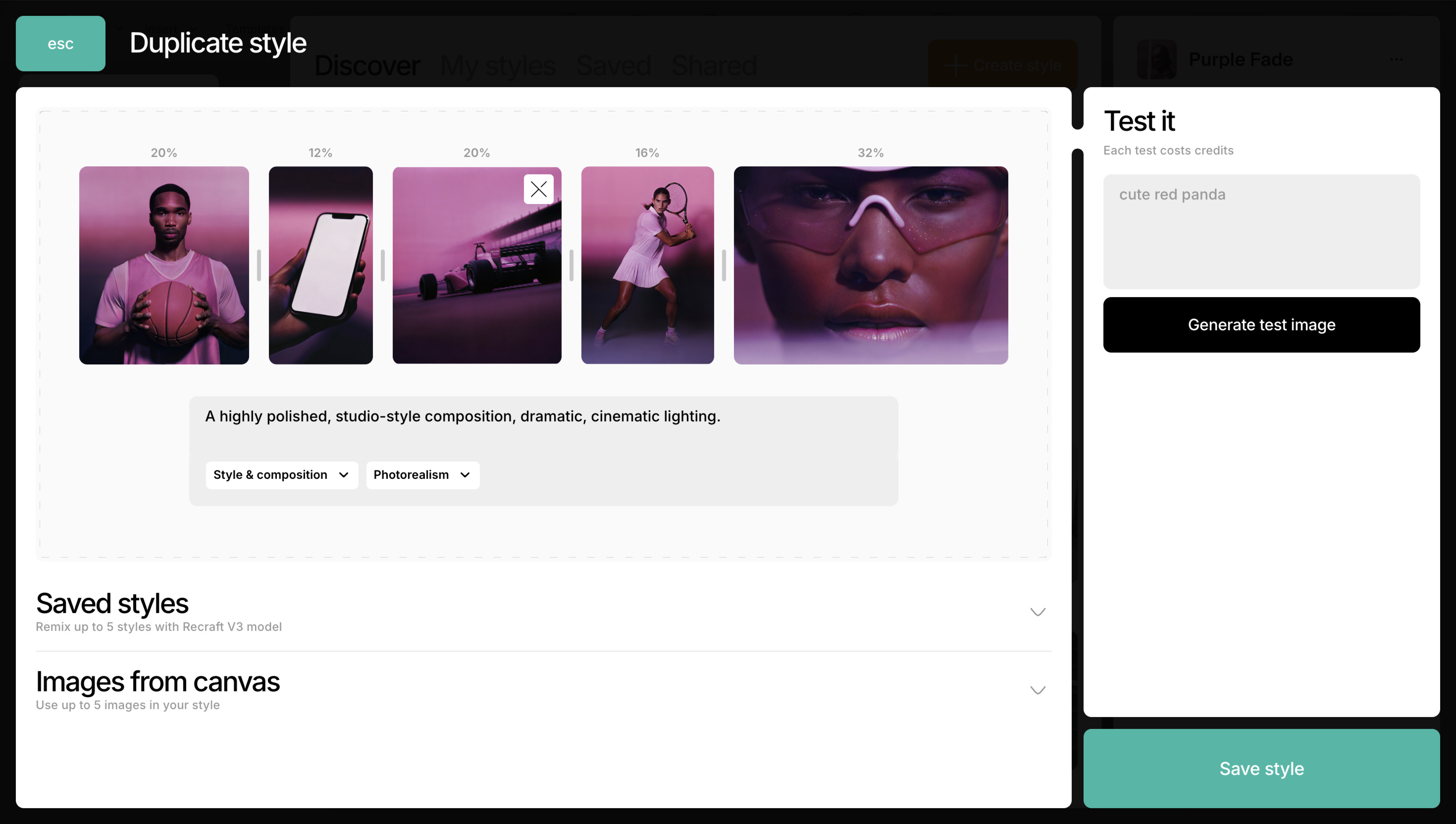
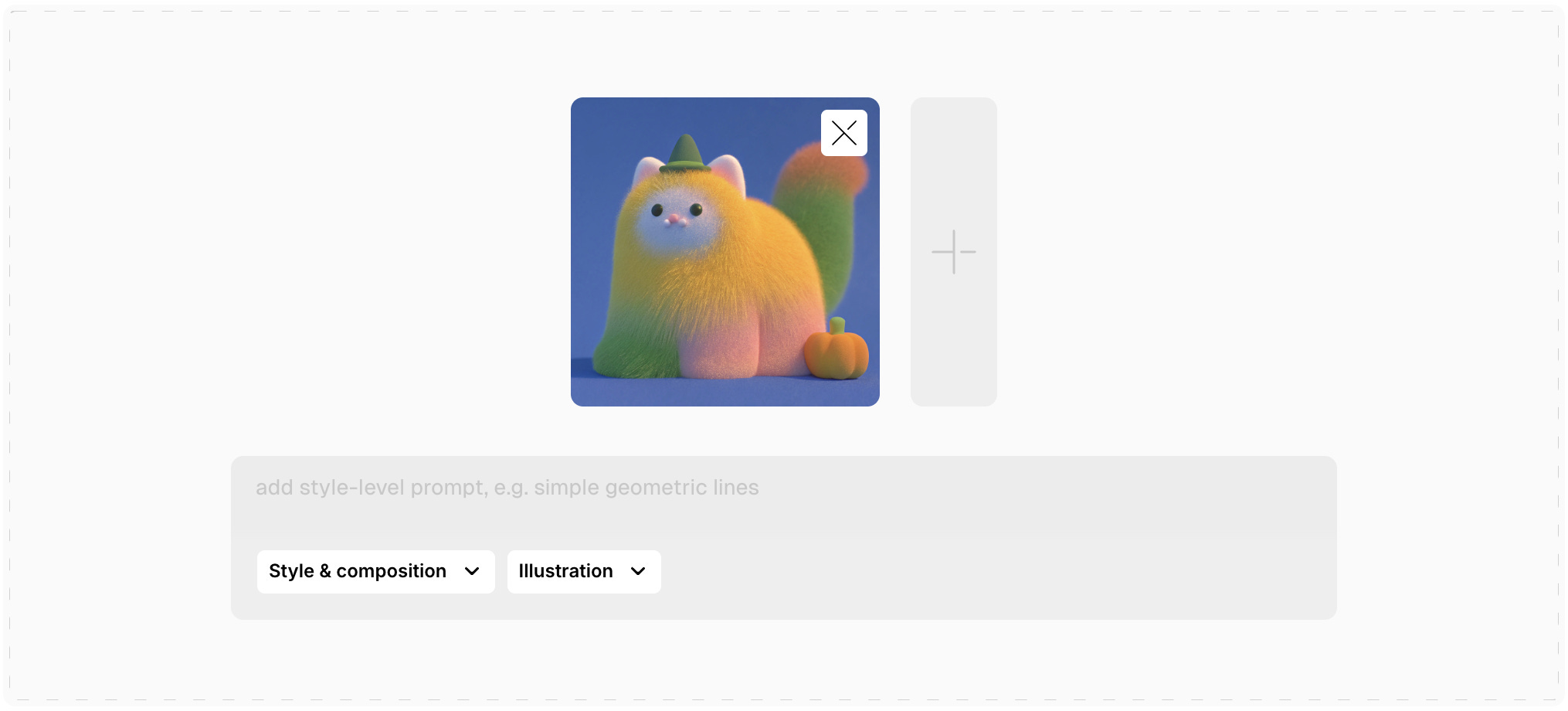
The examples below show how custom style creation works. First, you upload up to five reference images, then you can adjust how much each element influences the output, choose whether the style should focus only on basic attributes like color and texture or also preserve layout, and add a style level prompt.
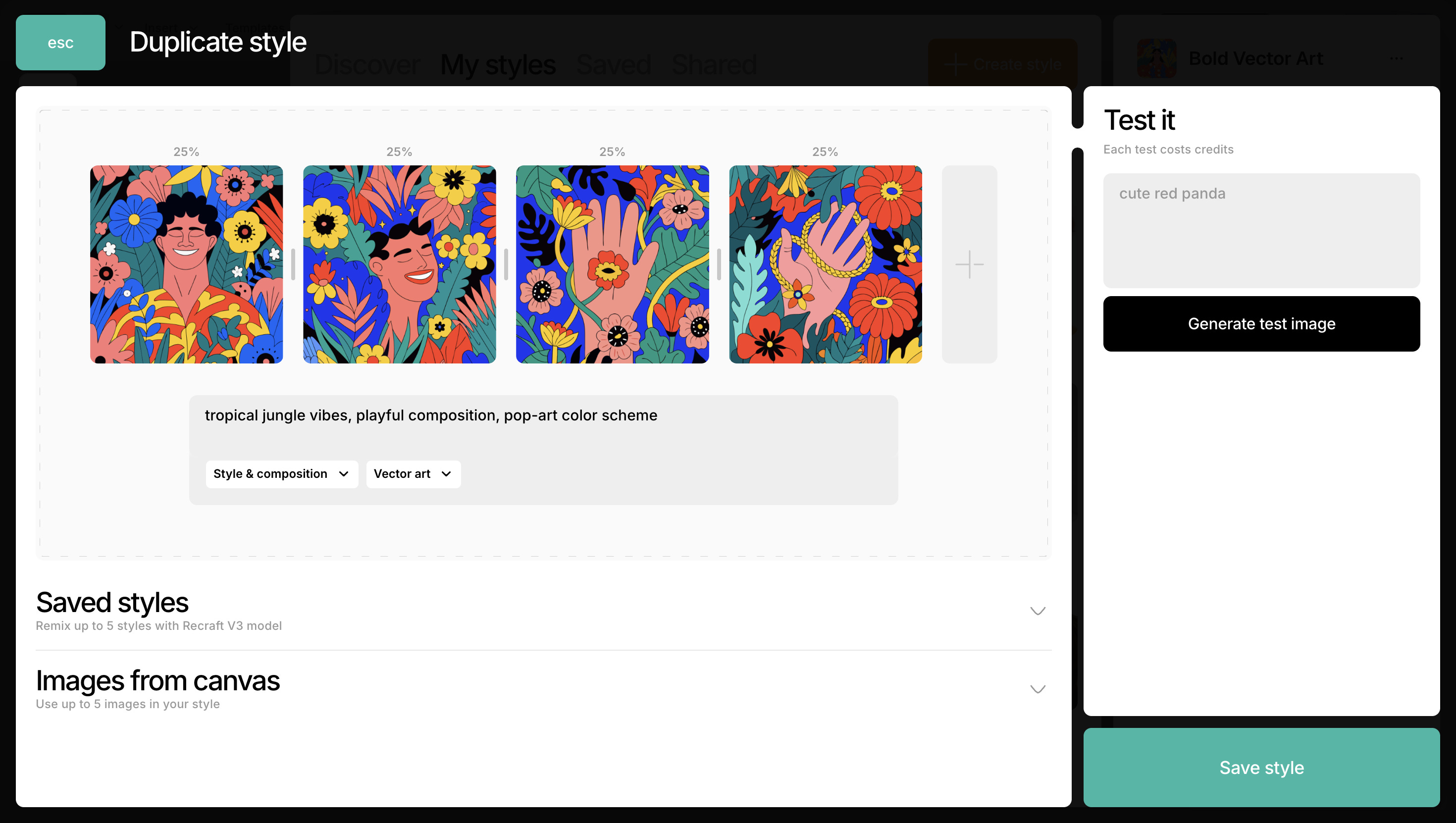
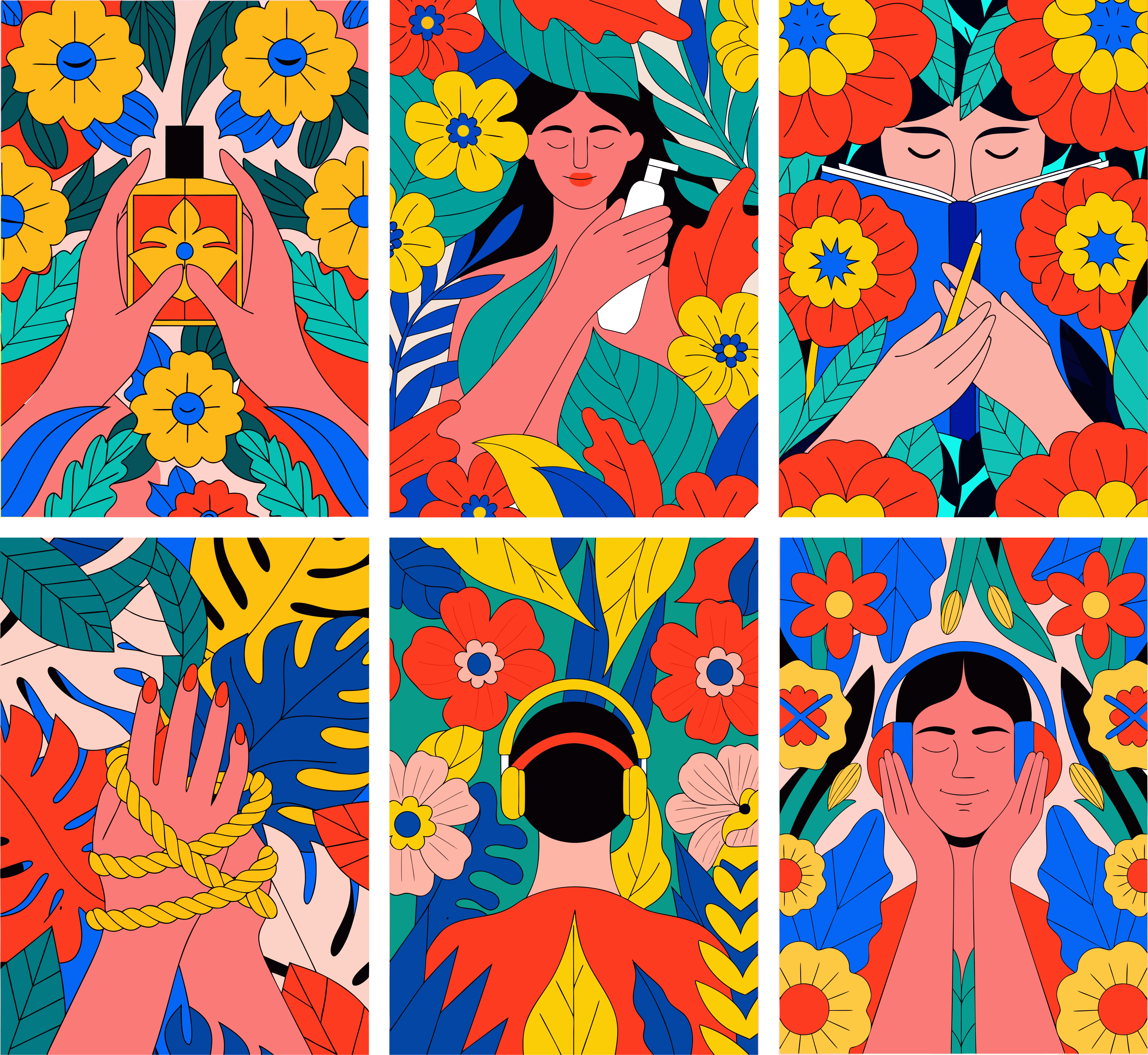
Once we have created our own style, we can move on to generating images based on it. For the reference above, we get the following images:
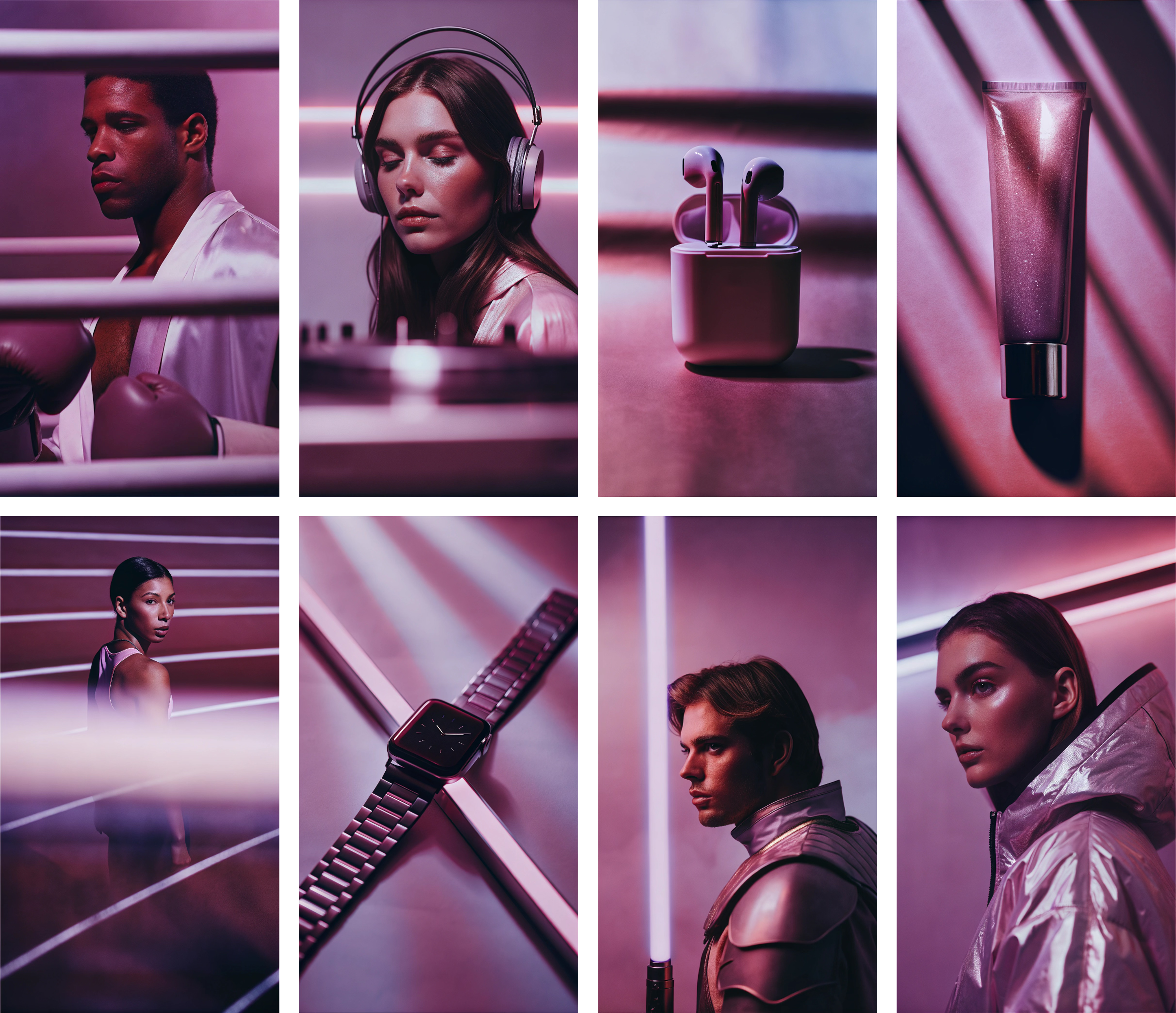
And here is another example, this time in a realistic style:
We are also able to achieve great results with just a single reference image, again in a completely different style:
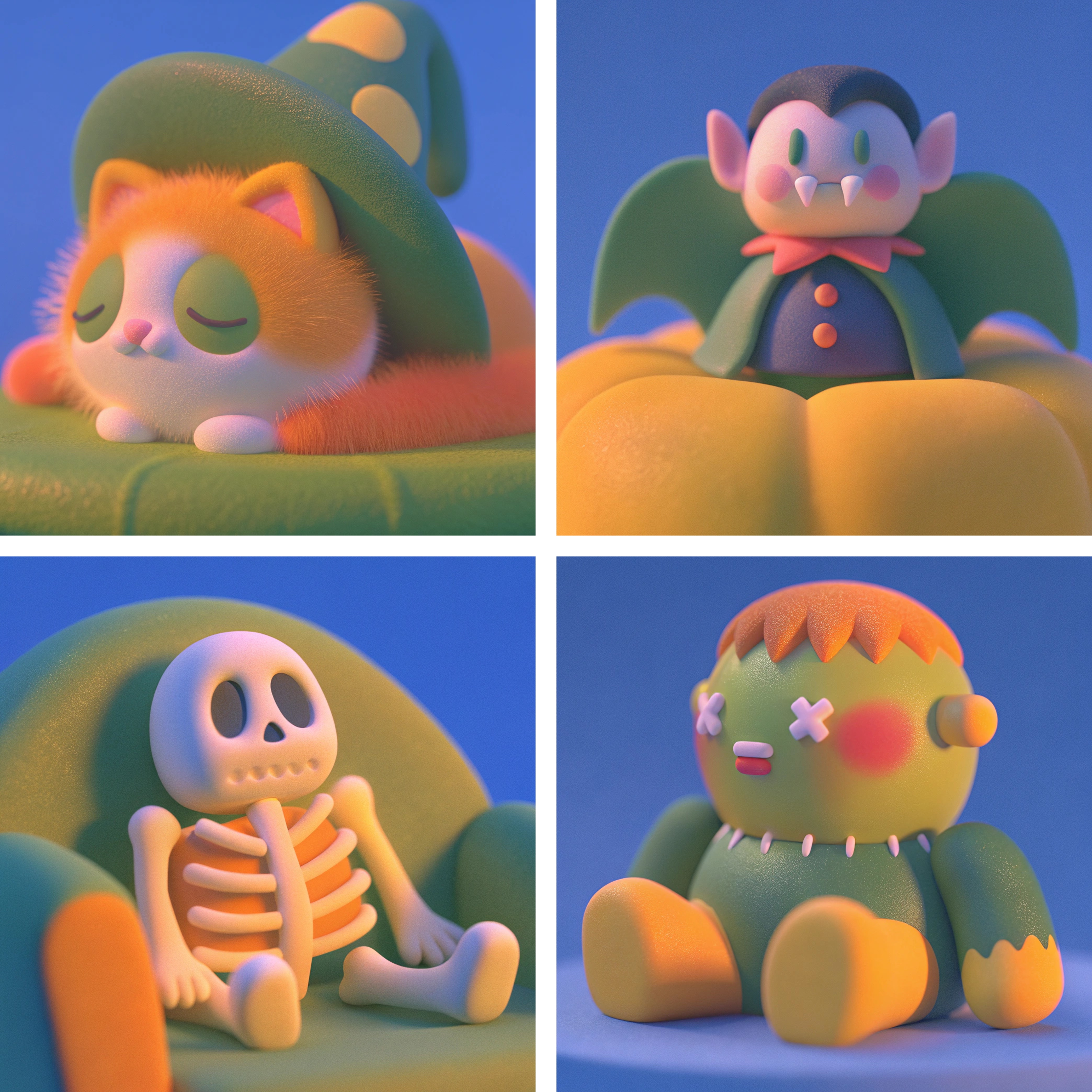
As I mentioned, the option to create a custom style and generate images based on it is by far my favorite feature of the tool. After seeing the examples above, I’m sure you can understand why. I believe it is an incredible aid in creating consistent and high-quality visual materials that we can use in our projects and products, as well as for marketing purposes for our business.
Recap
Recraft is an excellent support for tasks related to image generation and editing, allowing you to create exactly what you need at any given moment. Whether it’s icons required for our project, vectorizing a logo drawn in Procreate, or creating cohesive materials for our Instagram, Recraft enables us to produce content that not only maintains high quality but also, and just as importantly, ensures consistency in a faster and easier way.
The article was created in partnership with Recraft
Support our work
If you enjoy our newsletter, consider switching to the Premium plan to show your support! For just $5 a month (or $45 a year), you will get full access to our archives and free access to ebooks from Fundament Library.
Partnerships and socials
Partner with us via Passionfroot
Mateusz’s LinkedIn
Hey Team,
This is Lisa from Fellowers 😊
Just gently following up on my previous email regarding our collaboration.
We’re really looking forward to hearing your thoughts when you have a moment.
Thanks so much in advance!